



 Github Stars:
 Last Commit:
  Created:
Overview
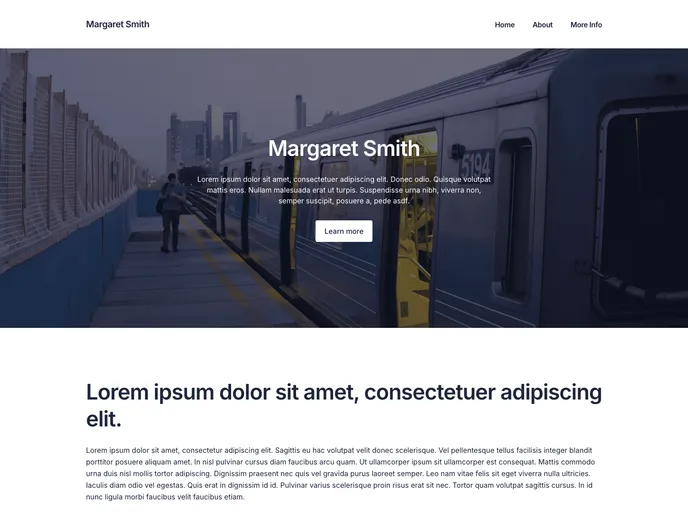
The Prismic + Nuxt Multi-Page Starter is a project that provides all the code needed to create a multi-page website using Prismic and Nuxt. This starter includes a homepage, information pages, and navigation.
Features
- Multi-page website: Create a website with multiple pages and a navigation menu.
- Prismic integration: Integrate Prismic, a headless CMS, to manage the content of your website.
- Nuxt compatibility: Works seamlessly with Nuxt, a framework for creating Vue.js applications.
- Sample content: The starter includes sample content to help you get started quickly.
Installation
To start a new project using this starter, follow these steps:
- Open your terminal and run the following commands:
# Start a new Nuxt project using this starter
npx create-nuxt-app my-project

# Log in to Prismic or create an account
# Create a new Prismic content repository with sample content
- Once the project is set up, you can start working on your website by running the following command:
npm run dev
- For more detailed instructions on how to work with your new project, refer to the documentation provided with this starter.
- To learn more about working with Prismic, you can refer to the official Prismic documentation.
Summary
The Prismic + Nuxt Multi-Page Starter is a convenient solution for building a multi-page website using Prismic and Nuxt. It offers easy integration with Prismic, allowing for efficient content management, and works seamlessly with Nuxt, providing a smooth development experience. With sample content included, getting started on your project is quick and hassle-free. Whether you are new to Prismic and Nuxt or an experienced user, this starter can help you create a professional and feature-rich website.



















































