



 Github Stars:
 Last Commit:
  Created:
Overview:
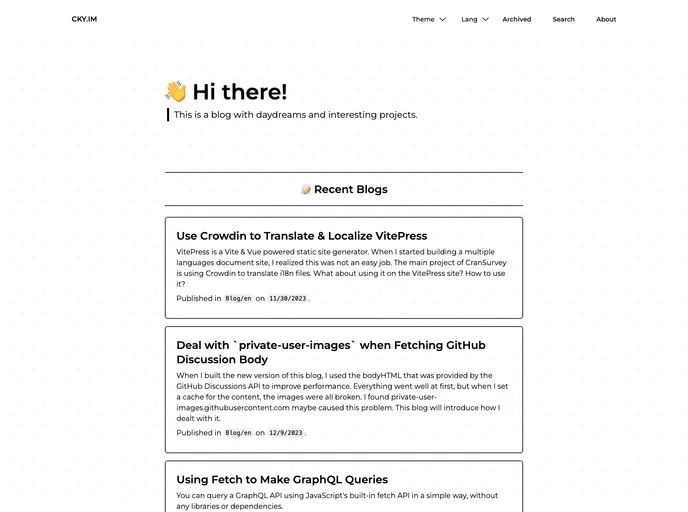
Biscus is a Nuxt theme that can be used with GitHub Discussions as a blogging platform. It offers a clean design and responsive layout for screens of all sizes. The theme leverages GitHub Discussions to store blog posts, eliminating the need for a separate backend. Additionally, Biscus enables Giscus by default, allowing users to connect with their readers. The theme also provides a user-friendly layout for displaying content and supports searching within GitHub Discussions. Users can customize the theme’s appearance by choosing between Light and Dark themes.
Features:
- Clean design and good layout for every size of screen
- Use GitHub Discussions to store the posts of your blog. No need for a backend
- Enable Giscus by default, get connect with your reader
- Good layout and design for showing contents and content
- Support searching from GitHub Discussions
- Support Light / Dark Theme
Installation:
To start using Biscus, follow these steps:
Obtain a GitHub Token without any scopes. This token is required for sending requests to the GitHub GraphQL API. To generate a token, go to GitHub and click on “New personal access token (classic)”. Set the expiration to “no expiration” or select a desired expiration time. Make sure the token has public access by not selecting any scopes. Click “Generate” and copy the token.
Starting from the template: Fork or use the template to create a new repository. Ensure that you select “Include all branches”.
After creating the new repository, navigate to the template branch or make it the default branch.
Edit the
app.config.tsfile in the main directory. Set the environment variableNUXT_GITHUB_TOKENto the previously obtained GitHub Token without any scopes.
Alternatively, if you already have an existing Nuxt project, you can add Biscus to it by following these steps:
[WARNING] Note that there may be conflicts with your existing project or dependencies when adding Biscus.
Install Biscus using Yarn, npm, or your preferred package manager.
Edit the
nuxt.config.tsfile.Edit the
app.config.tsfile.Set the environment variable
NUXT_GITHUB_TOKENto the previously obtained GitHub Token without any scopes.
Summary:
Biscus is a Nuxt theme that integrates with GitHub Discussions to provide a blogging platform without the need for a separate backend. The theme offers a clean and responsive design, supports searching within discussions, and provides a customizable Light/Dark theme option. Installation of Biscus can be done either by using the provided template or by adding it to an existing Nuxt project. However, users should be cautious about potential conflicts with existing projects or dependencies.




















































