



 Github Stars:
 Last Commit:
  Created:
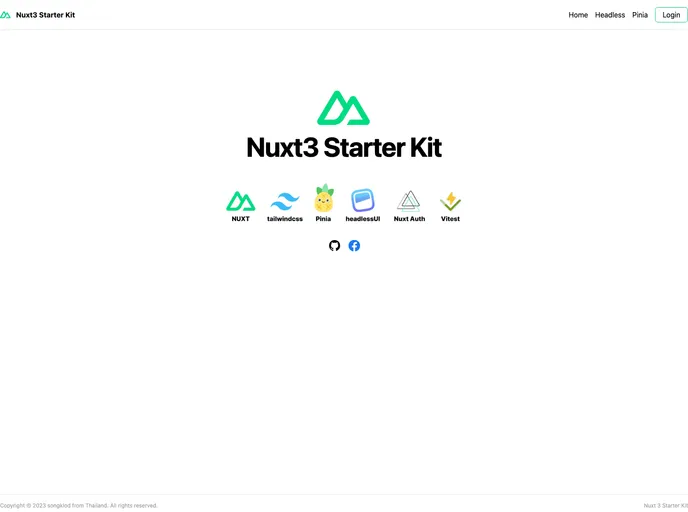
Overview:
The Nuxt3 Starter Kit is a package that makes building modern web applications with Nuxt3 easy and efficient. It provides a template that includes all the essential tools and features needed for development. Whether you’re a beginner or an experienced developer, this template is a great way to start building your next Nuxt3 application with confidence.
Features:
- Nuxt3 Application: The template includes the latest version of Nuxt3, allowing you to take advantage of its new features and improvements.
- Tailwindcss: A utility-first CSS framework that allows you to build custom designs quickly and easily.
- Setup: The template includes pre-configured settings for Prettier and Esline, ensuring that your code is clean and formatted correctly.
- HeadlessUI: A library of fully accessible UI components that you can use to build intuitive and user-friendly interfaces.
- Vueuse: A collection of essential Vue composition utilities that help you write cleaner and more maintainable code.
- Nuxt Icon: The template supports over 100,000 open-source vector icons via Iconify, giving you a wide range of options for your application.
- Vee Validate: A lightweight form validation library that makes it easy to validate user input and handle form submissions.
- Nuxt-Auth: A Nuxt module for authentication, providing a seamless and secure authentication experience for your users.
- Pinia: A state management library that helps you manage and synchronize state across your application.
- Nuxt Image: The template includes Nuxt Image, which allows you to optimize and serve images efficiently in your Nuxt apps.
- Vitest: A blazing-fast unit test framework powered by Vite, making it easy to write and run tests for your application.
Installation:
To use the Nuxt3 Starter Kit, follow these steps:
- Make sure you have Node.js installed on your system with a version of v18.18 or higher.
- Install the Visual Studio Code editor and make sure to add the recommended extensions for Vue development.
- Install the Vue devtool in your browser extensions to enhance your debugging experience.
Once you have completed the above prerequisites, you can use the following scripts to run and build your Nuxt3 application:
pnpm dev: Launches the app in development mode onhttp://localhost:3000/pnpm build: Builds the app for deploymentpnpm lint: Validates the code using ESLintpnpm format: Formats the code using Prettierpnpm start: Starts the app for production
Summary:
The Nuxt3 Starter Kit is a comprehensive package that provides all the necessary tools and features for building modern web applications with Nuxt3. With its pre-configured settings, essential dependencies, and extensive features, this template saves you time and effort in setting up your Nuxt3 project. Whether you’re a beginner or an experienced developer, this template is a valuable resource to start your next Nuxt3 application and build with confidence.



















































