



 Github Stars:
 Last Commit:
  Created: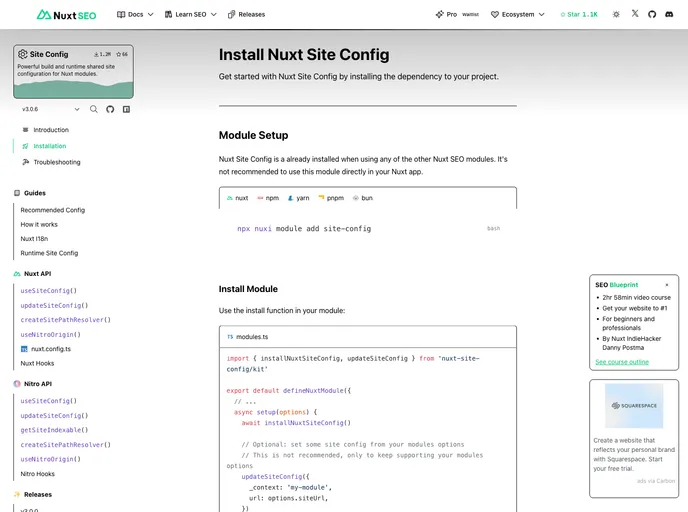
Overview:
Nuxt Site Config aims to provide a centralized configuration solution for modules in Nuxt applications. Traditional configurations like URLs, environments, and names can be shared and extended using this new configurable solution. The project aims to simplify the way modules interact and eliminate the need for duplicating configurations across multiple modules.
Features:
- Zero-config: Default site config settings are provided for easy setup.
- Flexible Source Support: Can pull site config from various sources like Nuxt Config, Runtime Config, Environment Variables, App Config, Route Rules, or Programmatically.
- Powerful APIs: Includes APIs like useSiteConfig, createSitePathResolver, withSiteUrl, useNitroOrigin for module authors.
- Ledger Capabilities: Provides features for tracking and managing configurations effectively.
- Integration with @nuxtjs/i18n: Allows seamless integration with internationalization modules.
Installation:
To install Nuxt Site Config, you can follow these steps:
- Add the package to your project:
npm install @nuxtjs/site-config
- Import the module in your Nuxt config file (nuxt.config.js):
// nuxt.config.js
export default {
  modules: [
    '@nuxtjs/site-config'
  ]
}
- Utilize the provided APIs to access and manage site configurations within your modules.
Summary:
Nuxt Site Config aims to revolutionize the way modules handle common configurations by providing a centralized, extensible solution. With features like zero-config setup, flexible source support, powerful APIs, ledger capabilities, and integration with internationalization modules, Nuxt Site Config simplifies configuration management for Nuxt applications. Consider integrating Nuxt Site Config into your projects to streamline module interactions and enhace end-user experiences.




















































