



 Github Stars:
 Last Commit:
  Created:


Overview
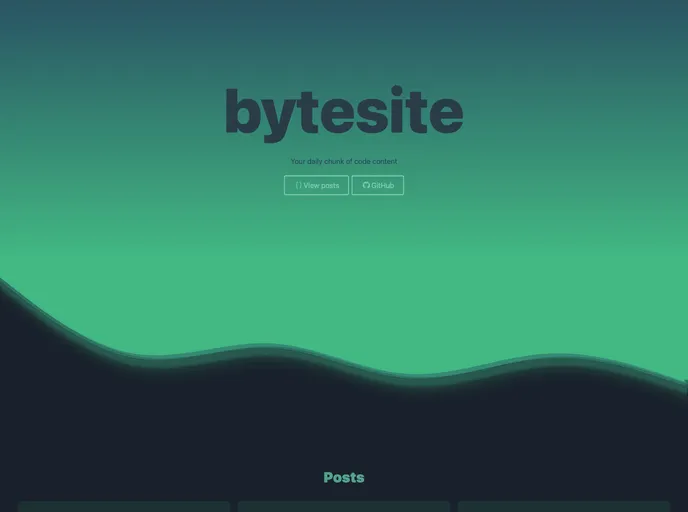
The imageBlog is an epic blog made using tailwind, Nuxt, and SCSS. It incorporates various features and elements that make it a visually appealing and user-friendly website.
Features
- CSS drop-shadow and SVG path to create a ripple effect on the front page.
- Nuxt content for retrieving post data and TailwindCSS for styling the post list.
- Scroll progress bar on the post page that measures scroll progress using JavaScript.
- Header that disappears from view for the first 150px and re-appears upon mouse hover.
- Gradient colored title for each post.
- Rendering of posts from markdown using NuxtContent and Tailwind Prose.
- Code theme is Prism Duotone Sea.
- Interactive examples implemented as Vue components within iframes.
- Bottom buttons that link to the previous or next post.
- TailwindCSS styling for the footer with the same ripple effect as the front page.
Installation
To install the imageBlog theme, follow these steps:
- Clone the imageBlog repository using the command
git clone https://github.com/explosion-scratch/imageBlog.git. - Install the required dependencies by running
npm install. - Customize the blog by modifying the various CSS files located in the
assetsdirectory. - Update the post content by editing the markdown files in the
content/postsdirectory. - Build the project using
npm run build. - Serve the project locally by running
npm run dev. - Open your browser and navigate to
http://localhost:3000to view the blog.
Summary
The imageBlog is a visually stunning and feature-rich blog created using tailwind, Nuxt, and SCSS. It incorporates several unique elements such as the CSS ripple effect, scroll progress bar, and interactive examples. The installation process is straightforward, and users can easily customize the blog to their preferences.


















































