



 Github Stars:
 Last Commit:
  Created:



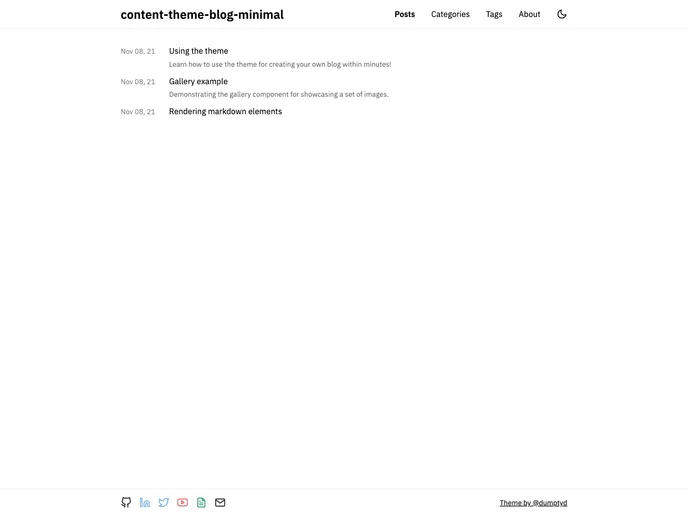
Overview
The content-theme-blog-minimal is a standalone theme that allows users to create their blog quickly and easily. It offers support for writing content in markdown with access to TailwindCSS utilities for styling. With features like categories and tags, syntax highlighting with various themes, light and dark mode options, sitemap, Cloudflare analytics support, and a gallery component for rendering image grids in markdown, this theme provides a comprehensive solution for bloggers. Additionally, it offers out-of-the-box continuous deployment for GitHub pages.
Features
- Write content in markdown with full access to TailwindCSS utilities for styling.
- Categorize and tag posts for easy organization.
- Syntax highlighting with 30+ themes to choose from.
- Light and dark mode options.
- Generate a sitemap for better SEO.
- Support for Cloudflare analytics.
- Gallery component for rendering image grids in markdown.
- Continuous deployment for GitHub pages.
Installation
To install the content-theme-blog-minimal theme, follow these steps:
Clone the repository.
git clone [repository-url]Install the required dependencies using yarn.
yarn installIf you don’t have Node.js installed, you can use nvm (Node Version Manager) to install it. Once Node.js is installed, you can then install yarn globally by running the command:
npm install -g yarnCustomize the configuration by modifying the default config in
blog.config.js.Start the development server by running
yarn dev.Begin writing content by adding markdown files in the
/content/postsdirectory and updating the/content/about.mdfile.
For more advanced configuration options, refer to the documentation for Markdown and theme configuration.
Summary
The content-theme-blog-minimal is an easy-to-use, standalone theme that enables users to create their blogs quickly. With support for markdown, TailwindCSS utilities, categories, tags, syntax highlighting, light and dark modes, sitemap generation, Cloudflare analytics, and a gallery component, this theme offers a comprehensive solution for bloggers. Additionally, it provides continuous deployment for GitHub pages, making it easy to publish and update your blog.


















































