



 Github Stars:
 Last Commit:
  Created:

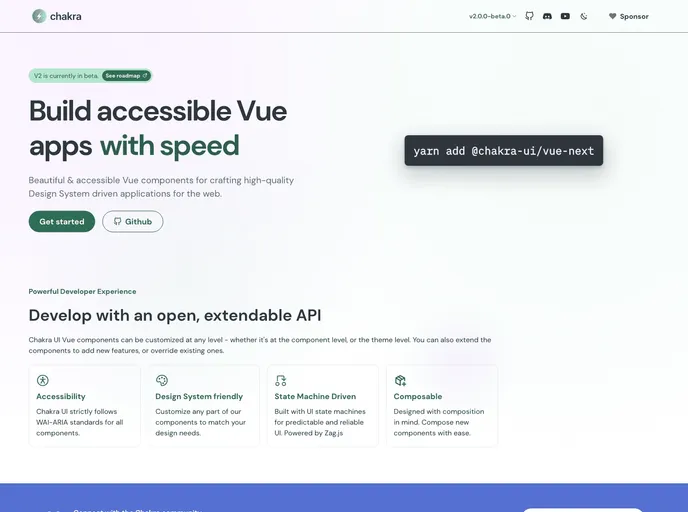
Overview
The Chakra UI Vue Next Documentation Site is a valuable resource for developers looking to learn more about Chakra UI Vue Next. It provides comprehensive content documentation and a step-by-step guide to setting up and using Chakra UI Vue Next in a development environment. Additionally, it offers instructions for building and previewing a production-ready application with Chakra UI Vue Next.
Features
- Comprehensive Content Documentation: The site offers an extensive collection of documentation that covers the various aspects and features of Chakra UI Vue Next.
- Dependency Installation: Detailed instructions are provided to ensure the correct installation of all necessary dependencies for working with Chakra UI Vue Next.
- Development Server: The documentation includes a guide on how to start a development server on http://localhost:3000, enabling developers to test their applications locally.
- Production Build: Developers can refer to the site for instructions on building their applications using Chakra UI Vue Next for production deployment.
- Local Production Preview: The Chakra UI Vue Next Documentation Site provides guidance on locally previewing a production build, allowing developers to assess the application’s performance and appearance before deploying it.
- Deployment Information: The site refers to the deployment documentation for more detailed instructions on how to deploy applications built with Chakra UI Vue Next.
Installation
To get started with Chakra UI Vue Next, follow these steps:
- Ensure that all dependencies are installed. The necessary dependencies can be found in the documentation.
- Set up a development server by running the following command:
npm run dev
- The development server will run on http://localhost:3000 by default. Visit this URL to access your application.
For building the application for production, execute the following command:
npm run build
To locally preview the production build, use the following command:
npm run start
For more detailed information on deployment, refer to the deployment documentation.
Summary
The Chakra UI Vue Next Documentation Site offers a comprehensive collection of documentation and guides for developers interested in learning and using Chakra UI Vue Next. It covers topics such as dependency installation, setting up a development server, building for production, and locally previewing a production build. The site also provides helpful references to the deployment documentation for further information on deploying applications created with Chakra UI Vue Next.


















































