



 Github Stars:
 Last Commit:
  Created:


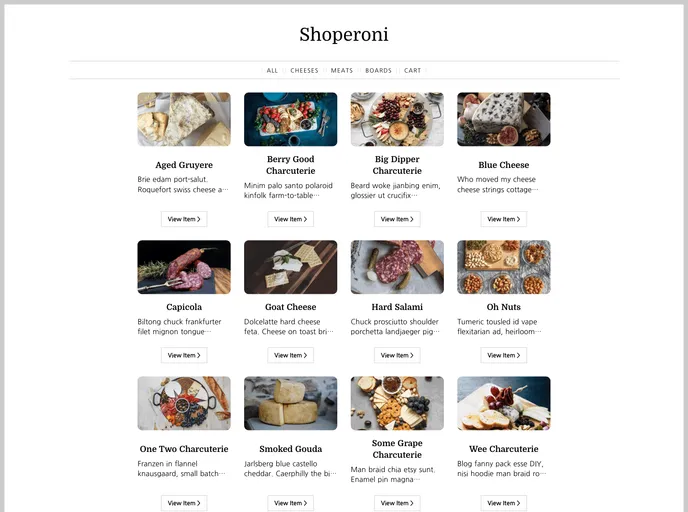
Overview
The Shopify Nuxt Kit is a starter template kit designed for those who want to utilize Shopify’s new Cart API with Nuxt 2 on Netlify. This kit provides developers with a solid foundation to build an e-commerce site using Shopify’s robust features.
Features
- Integration with Shopify’s Cart API: The kit enables seamless integration with Shopify’s Cart API, allowing developers to easily add and manage items in the cart.
- Built on Nuxt 2: The kit is built on top of Nuxt 2, a powerful Vue.js framework that provides efficient server-side rendering for optimized performance.
- Netlify Deployment: The kit is designed to be easily deployed on Netlify, a popular hosting platform that offers a seamless web development experience.
Installation
To install the Shopify Nuxt Kit, follow the steps below:
- Make sure you have the Netlify CLI and Node 16 installed on your system.
- Set the following environment variables in your Netlify dashboard:
SHOPIFY_API_ENDPOINT: Provide the API endpoint of your Shopify store (e.g.https://example.myshopify.com/api/unstable/graphql.json).SHOPIFY_STOREFRONT_API_TOKEN: Add your Shopify Storefront API token.
- Clone the Shopify Nuxt Kit repository to your local machine.
- Install the dependencies by running
npm install. - Start the development server by running
npm run dev. - Access the site in your browser at
localhost:3000.
For more detailed information on how to work with the Shopify Nuxt Kit and its configuration, refer to the Nuxt.js documentation.
Summary
Overall, the Shopify Nuxt Kit provides developers with a convenient and efficient solution for building e-commerce sites using Shopify’s Cart API and Nuxt 2. With its seamless integration, powerful framework, and easy deployment on Netlify, this kit offers a solid foundation for creating high-performing and customizable online stores.

















































