



 Github Stars:
 Last Commit:
  Created:

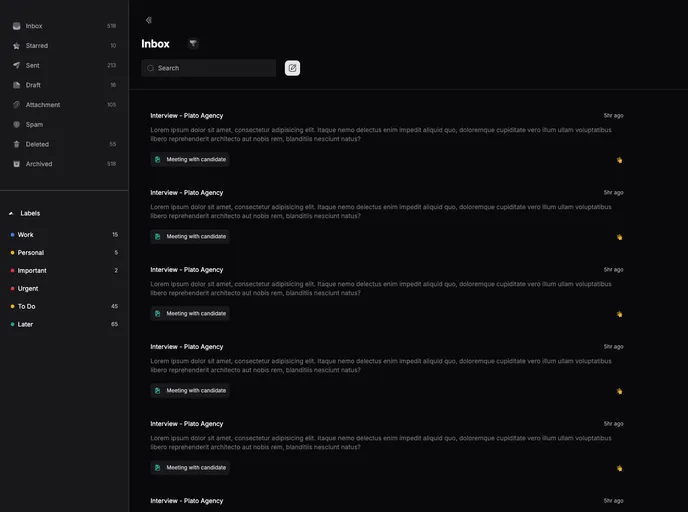
Overview:
The Email Dashboard is a web application developed using Nuxt 3 and Tailwind CSS. It is designed to provide users with a visually appealing and user-friendly interface for managing their emails. The design of the dashboard is based on a Dribbble shot and is available for demo viewing. Additionally, a tutorial on how to create a similar dashboard can be found on YouTube.
Features:
- Responsive Design: The Email Dashboard is built with a responsive design, ensuring that users can access and use the dashboard on various devices.
- Nuxt 3: The application is developed using Nuxt 3 framework, which offers improved performance and developer experience.
- Tailwind CSS: The dashboard is styled using Tailwind CSS, a utility-first CSS framework, allowing for rapid and customizable UI development.
Installation:
To install the Email Dashboard, follow these steps:
- Clone the repository:
git clone [repository URL]
- Navigate to the project directory:
cd email-dashboard
- Install the dependencies using npm:
npm install
- Start the development server:
npm run dev
- Access the dashboard in your browser at
http://localhost:3000.
Summary:
The Email Dashboard is a visually appealing and user-friendly web application for managing emails. Built with Nuxt 3 and styled with Tailwind CSS, it offers a responsive design and improved performance. A demo of the dashboard is available, and a tutorial on creating a similar dashboard can be found on YouTube. To install the dashboard locally, simply clone the repository and follow the provided installation guide.



















































