



 Github Stars:
 Last Commit:
  Created:
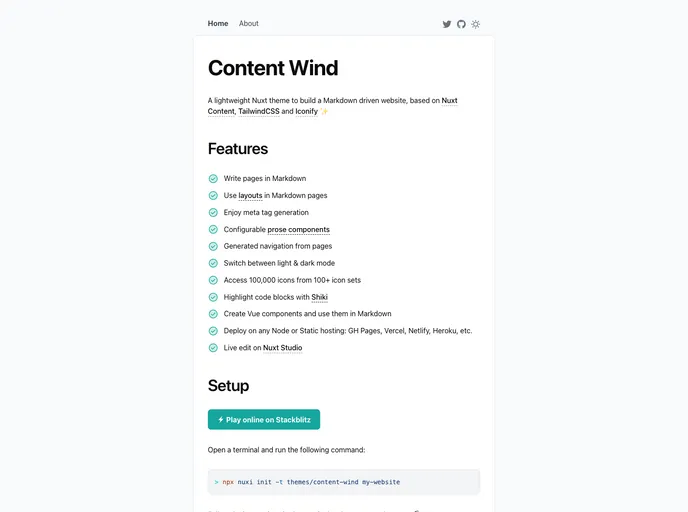
Overview:
Content Wind is a personal website theme powered by Nuxt Content, TailwindCSS, Iconify, and Vue components. It allows users to create pages in Markdown, use Nuxt layouts in Markdown pages, and generate meta tags from Markdown files. The theme also includes configurable prose components, generated navigation based on pages, and options to switch between Light and Dark modes. It provides access to over 100,000 icons from 100+ icon sets and supports code block highlighting with Shiki. Users can also create Vue components and use them in Markdown. The theme can be deployed on any Node or Static hosting service and offers live editing capabilities on Nuxt Studio.
Features:
- Create pages in Markdown: Users can create pages using Markdown syntax in the content/ directory.
- Use Nuxt layouts in Markdown pages: Nuxt layouts can be used in Markdown pages for better organization and design.
- Meta tag generation: Meta tags are automatically generated from Markdown files, saving time and effort.
- Configurable prose components: Prose components can be easily configured with Nuxt Typography.
- Generated navigation: Navigation is automatically generated based on the pages created.
- Switch between Light & Dark mode: Users have the option to switch between Light and Dark modes for a customized viewing experience.
- Access 100,000 icons: The theme provides access to over 100,000 icons from 100+ icon sets using the <Icon> component.
- Highlight code blocks: Code blocks can be highlighted using Shiki.
- Create and use Vue components in Markdown: Users can create Vue components and use them in their Markdown pages.
- Deploy on any Node or Static hosting: The theme can be deployed on various hosting services including GH Pages, Vercel, Netlify, Heroku, etc.
- Live edit on Nuxt Studio: Users can make live edits to their website using Nuxt Studio.
Installation:
To get started with Content Wind, follow these steps:
Local:
Install Node.js if you don’t have it already.
Create a new project directory.
Open the terminal and navigate to the project directory.
Initialize a new Nuxt project by running the following command:
npx create-nuxt-app my-projectChoose the appropriate options according to your needs.
Once the project is created, navigate to the project directory:
cd my-projectInstall the required dependencies:
npm install --save @nuxt/content @nuxtjs/tailwindcss vue-tippy vue-nuxt-i18nCopy the
tailwind.config.jsfile from the Content Wind repository into your project directory.Create a new
.mdfile in thecontent/directory to start creating pages.Customize the theme according to your preferences in the
tailwind.config.jsfile.
Online:
To get started online, visit https://nuxt.studio/themes/content-wind and follow the instructions provided.
Summary:
Content Wind is a powerful personal website theme that offers a range of features for creating and customizing websites. With support for Markdown pages, Nuxt layouts, meta tag generation, and customizable prose components, users can easily create professional-looking websites with minimal effort. The theme also provides access to a vast collection of icons, code block highlighting, and the ability to create and use Vue components within Markdown. With easy deployment options and live editing capabilities in Nuxt Studio, Content Wind offers a convenient and efficient solution for building personal websites.




















































