



 Github Stars:
 Last Commit:
  Created:


Overview:
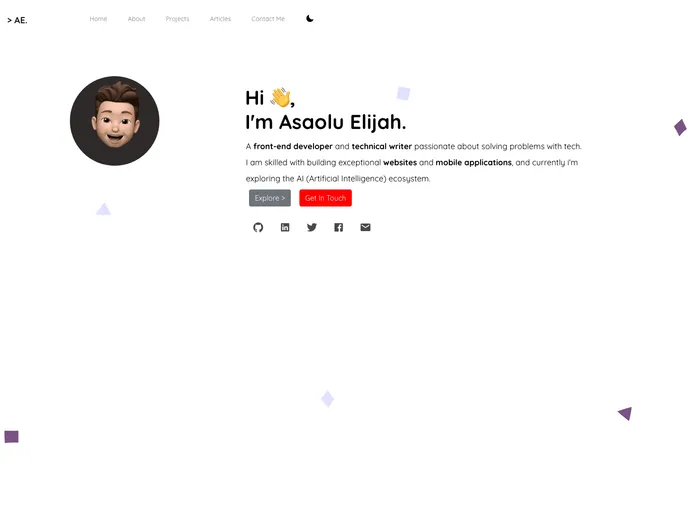
The Personal Portfolio is a website template designed for individuals to showcase their work and skills. It is created using technologies such as NuxtJs, Bootstrap-vue, Vue-ionicons, and Animate.css. The template aims to provide a visually appealing and user-friendly experience for visitors.
Features:
- Responsive Design: The template is designed to be mobile-friendly and responsive on different devices.
- Portfolio Showcase: Users can display their projects, work samples, or achievements in a visually appealing manner.
- Skills and Expertise: The template allows users to highlight their skills and expertise in various fields.
- Contact Information: Users can include their contact information to facilitate communication with potential clients or employers.
Installation:
To install the Personal Portfolio template, follow these steps:
- Clone the repository:
git clone <repository URL>
- Go to the project directory:
cd personal-portfolio
- Install the dependencies:
npm install
- Start the development server:
npm run dev
- Open your browser and go to
http://localhost:3000to see the template in action.
For more detailed explanation on how things work, refer to the Nuxt.js documentation.
Summary:
The Personal Portfolio template is a visually appealing and user-friendly website template designed for individuals to showcase their work and skills. It utilizes technologies such as NuxtJs, Bootstrap-vue, Vue-ionicons, and Animate.css to create a responsive and interactive experience. By utilizing this template, individuals can effectively showcase their portfolio, highlight their skills, and provide their contact information to potential clients or employers.



















































