



 Github Stars:
 Last Commit:
  Created:
Overview:
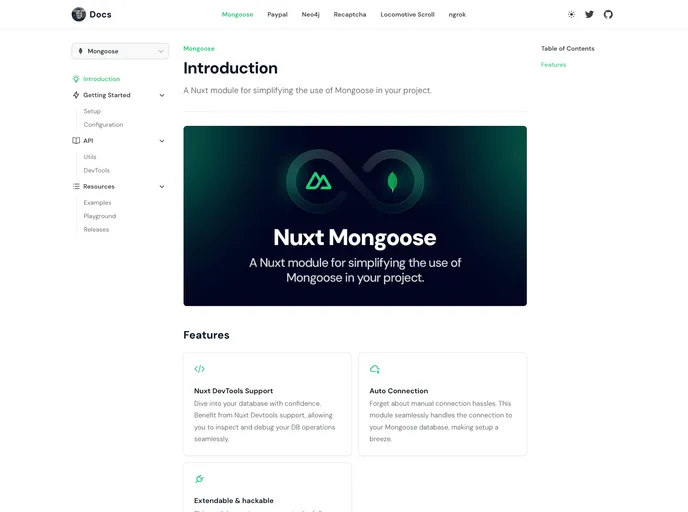
The nuxt-mongoose module is designed to simplify the use of Mongoose in a Nuxt project. It provides functionality for setting up connections and models using Mongoose, making it easier to work with MongoDB in a Nuxt application.
Features:
- Simplifies Mongoose usage: The nuxt-mongoose module simplifies the process of using Mongoose in a Nuxt project, making it easier to work with MongoDB.
- Auto-imports schemas: By default, the module automatically imports schemas from the models directory in the server directory. This allows for more efficient development by eliminating the need to manually import each schema.
- Customizable configuration: The module allows for customization through its configuration options. Users can change settings such as the models directory, allowing for a more flexible and adaptable setup.
- Integration with Mongoose documentation: The module references the official Mongoose documentation for more information on advanced configuration options, providing a comprehensive resource for users.
Installation:
To install the nuxt-mongoose module, follow these steps:
- Add nuxt-mongoose to the modules section of your nuxt.config.ts file:
modules: [
  'nuxt-mongoose',
]
- Configure the module by adding a mongoose section to your nuxt.config file. Here’s an example:
mongoose: {
  modelsDir: '~/server/models',
  // Other configuration options...
}
- Customize the configuration as needed. Check the Mongoose documentation for more information on available options.
Summary:
The nuxt-mongoose module simplifies the use of Mongoose in a Nuxt project by providing a streamlined way to work with MongoDB. It automatically imports schemas, allows for customizable configuration, and references the official Mongoose documentation for advanced usage. With nuxt-mongoose, developers can more easily integrate MongoDB functionality into their Nuxt applications.



















































